
Booking Help – How to Book a Course
If you’re not sure how to book, follow the steps below. If you get stuck, contact us and we’ll help you complete your booking.
If Your Booking Isn’t Working, Try These Quick Fixes
- Refresh the page and try again.
- Try another browser such as Chrome or Safari, or use a private/incognito window.
- Disable any popup or content blockers for this site.
Ready to book? Open our course list and choose your date and location.
View the Course ListBook Your Course in Four Simple Steps
Choose your course, enter your details and complete secure payment to confirm your place.
Find Your Course
Use Search for your town or course name, or use Filters to narrow the results by date and location.
Click “Book Now”
Select your course date, then click Book Now on the course card to begin booking.
Enter Your Details
Enter your information carefully, including your correct email address and telephone number.
Pay Securely
Complete payment to confirm your booking. You’ll receive a confirmation email with your booking details.
Common Booking Issues
If something doesn’t appear to be working, check these common problems first.
I can’t find my course
- Use Search (town/course name) and check Filters (date/location).
- Clear filters and refresh.
Discount code won’t apply
- Codes are case-sensitive.
- Some codes are limited to the first 5 bookings per event and stop automatically once the allocation has been used.
- Enter the code at checkout before paying.
- Click Add to activate the coupon and apply the discount.
- Discount codes cannot be used with other offers.
Payment failed / card declined
- Retry once, as card verification can occasionally time out.
- Try another card, browser or device.
- If your bank shows a pending charge, contact us before attempting payment again.
I paid but didn’t get an email
- Check your spam, junk and Promotions folders.
- Wait 5 minutes and search your email for “buildingitbetterni”.
- If the email is still missing, contact us with your name, the email address used and your booking date.
The email address may have been entered incorrectly. We can correct this for you.
Your email address is also needed to log in and view your orders through the Customer Panel .
What happens after I pay?
Once payment is complete, your place is confirmed and you’ll receive a confirmation email with your booking details.
If you don’t receive the confirmation within 5 minutes, check your spam or junk folder and then contact us.
Discount codes must be entered at checkout before payment
Discount codes must be entered at checkout before payment.
Promotional offers such as 10% off may be limited — for example, to the first 5 bookings for an event — and stop automatically once the available allocation has been used.
Discounts cannot be used with any other offer.
Booking Screenshots
Follow the screens below through the booking process. The appearance may change slightly as our booking system is updated, but the process remains the same.
1. Find your date or location and click Book Now
Use Search to find a course by town or course name. You can also use Filters to narrow the results by date or location.
Once you’ve found the course you want, click Book Now.
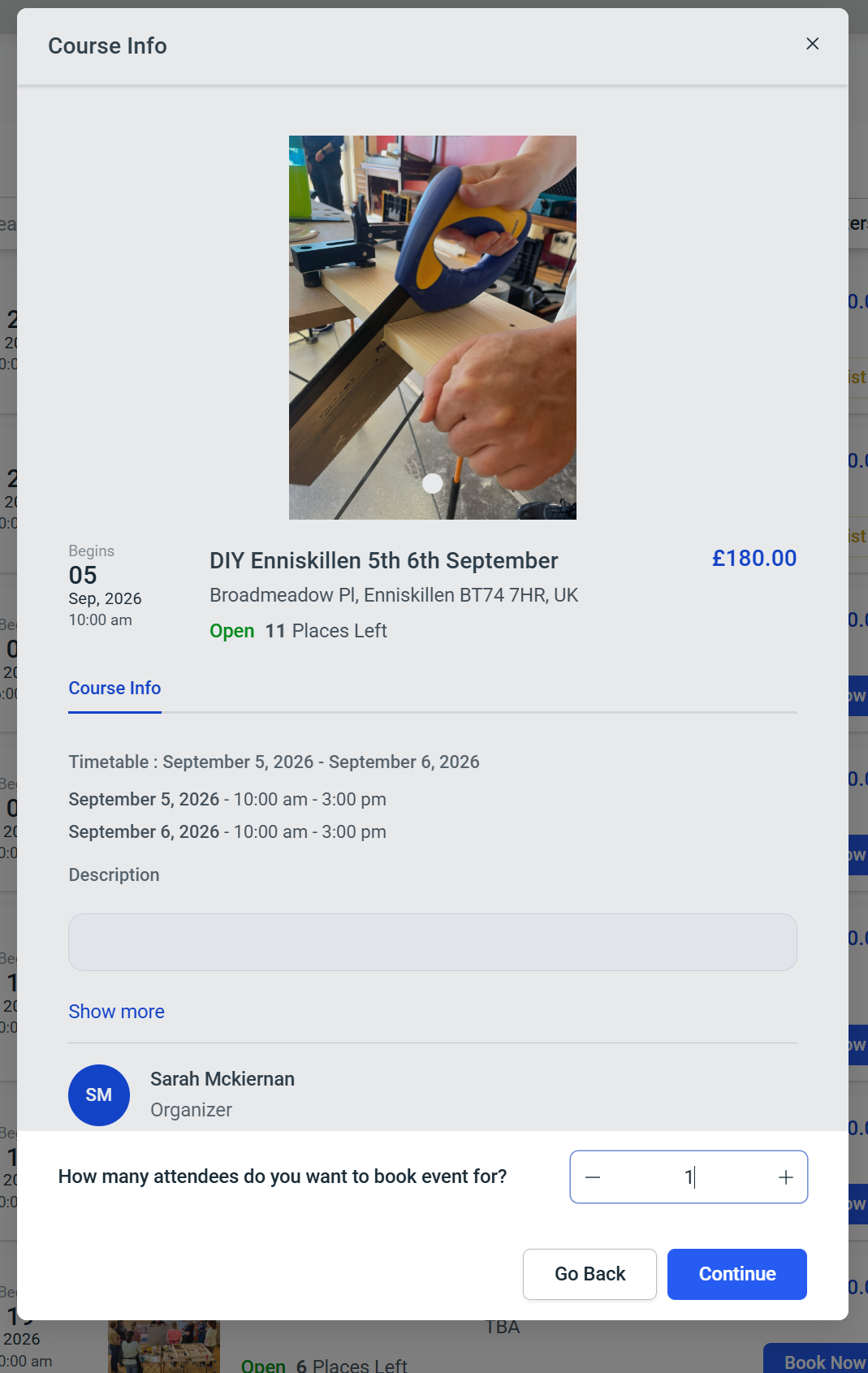
2. Check the course and choose the number of attendees
The next screen shows more information about the course, including the location, timetable and number of places remaining.
If spaces are available, you can book for more than one person.
Choose the number of attendees you want to book and click Continue.
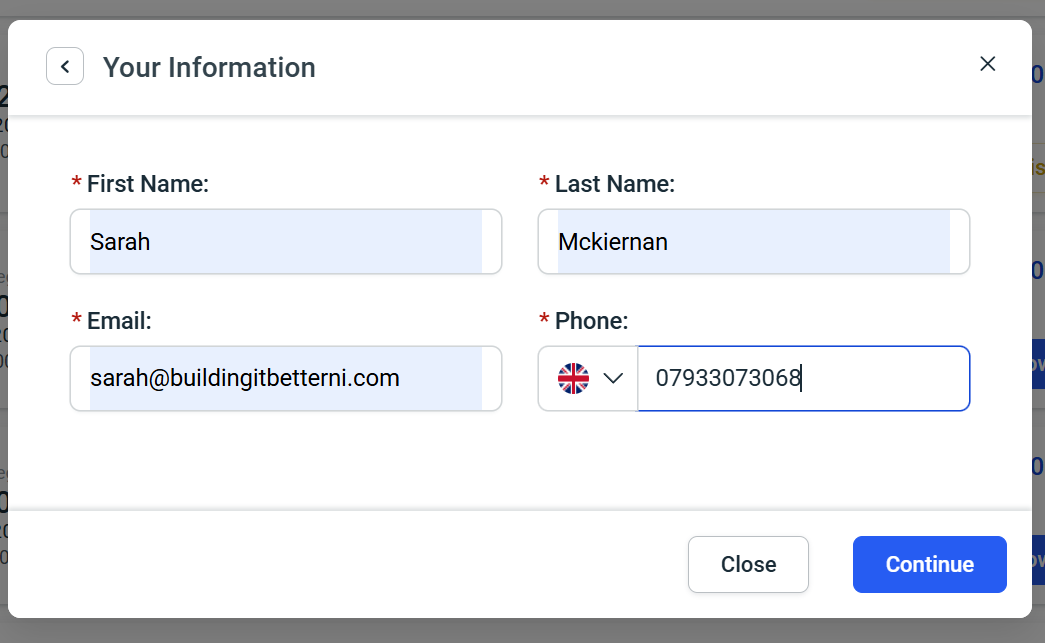
3. Add your details
Enter your first name, last name, email address and telephone number.
Your email address is particularly important because your booking confirmation will be sent there.
Once your details are correct, click Continue.
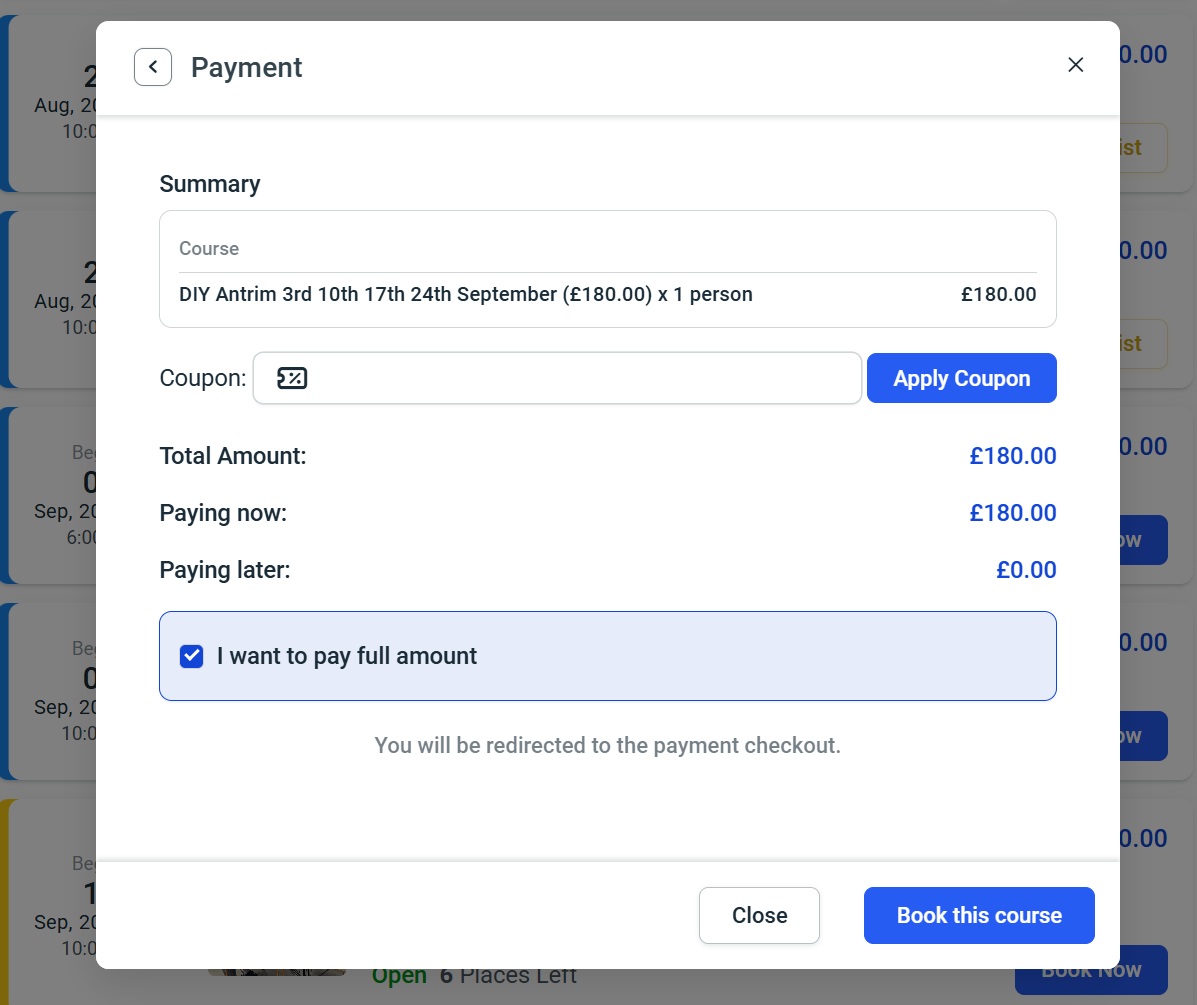
4. Enter your coupon code and continue to payment
If you have a valid coupon or promotional code, enter it into the Coupon field before paying.
Promotional codes may have a limited number of uses and cannot be combined with another offer.
Check the subtotal, discount and total amount before continuing.
When everything is correct, click Book this course.
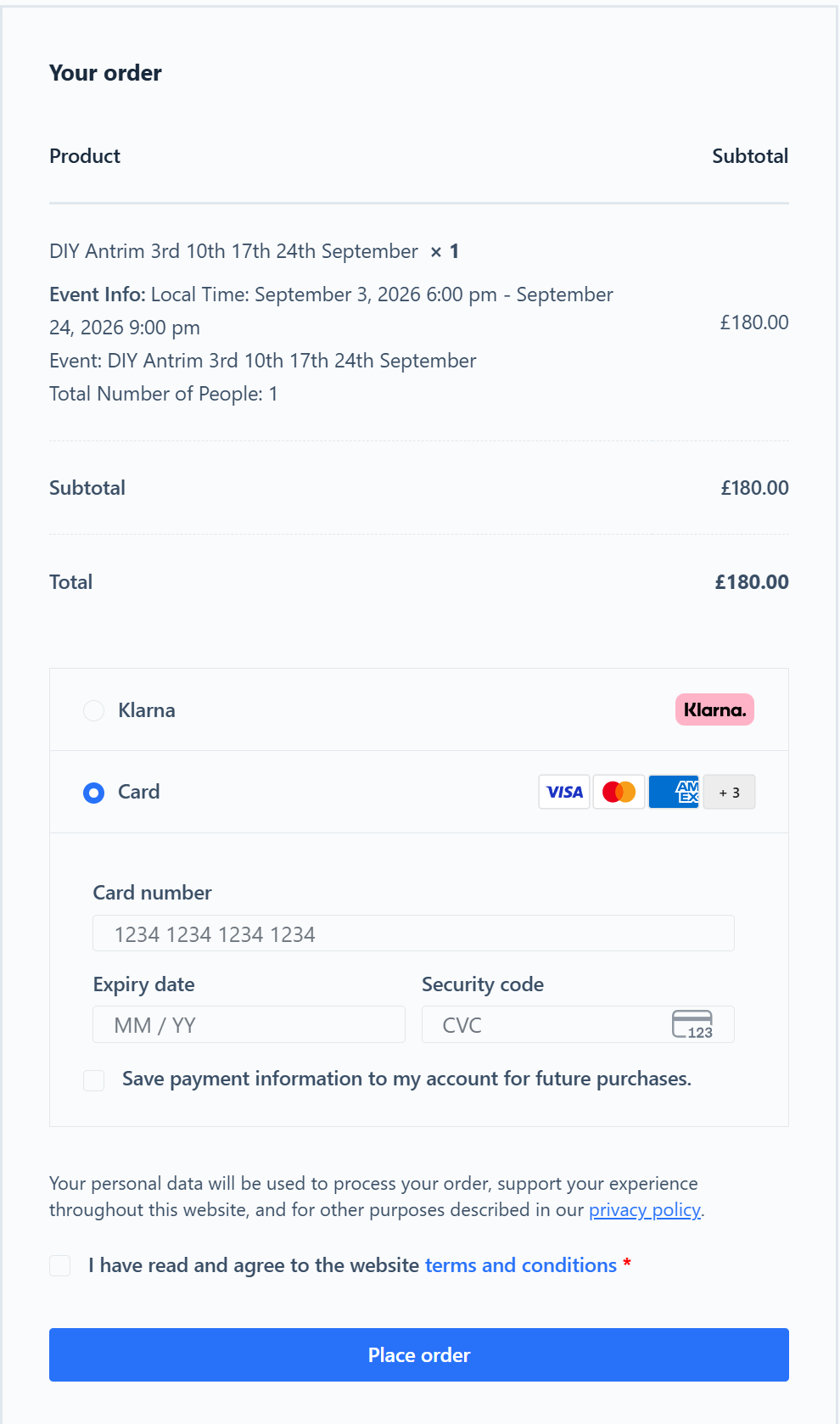
5. Complete your payment
After clicking Book this course, you’ll be taken to the secure payment checkout.
Complete the payment process to confirm your place.
Once payment has completed successfully, you’ll receive a confirmation email with your booking details.
Contact Our Support Team
If you’re still having trouble completing your booking, contact us and we’ll help.
Choose Your Course, Date and Location
Browse our current courses across Northern Ireland and choose the course that suits you.